

Everything You Need. Nothing You Don't.
Every feature in YourTradeQuotes is built around how a trade business actually operates — not a generic CRM adapted for trades.
Say the job. Get the quote.
Open an enquiry, tap Voice Quote and describe the work, the hours, the prices and how long the quote stands, in your own words. The quote builder opens with the customer attached, the lines drafted, and VAT and expiry set.
- Talk for up to three minutes, from the van or on site
- Prices are never invented: anything you did not price comes back at £0 marked "Not stated"
- VAT comes from your settings, or tell it the prices you gave include VAT
- Lands as a simple three-total quote, or itemised if you work in Advanced mode
- A level meter shows it can hear you, and a silent recording never uses a credit
- On Pro, with 150 AI requests a month
Voice Quote · Sarah Jenkins
0:24“New consumer unit. Eight hours labour at forty-five an hour, the unit and breakers are three hundred and twenty. Testing and the certificate on top. Quote's good for thirty days.”
Draft quote
Signed before you leave the driveway
Send a link. Customer opens on their phone, reads the quote, taps Accept, and signs digitally. The job is created instantly and the deposit invoice is raised. Paying the deposit by card on the spot is coming soon.
- Customer views and accepts on any device
- Drawn digital signature captured and stored
- Acceptance creates the job automatically
- Deposit invoice raised at your preferred percentage
- Customer pays the deposit by card on the spot (coming soon)
The chasing gets done while you work
Autopilot follows up quotes, chases overdue invoices, reminds customers about appointments and asks for reviews, in your wording and your branding. Everything else that needs you sits on one Business To-Do list, money first.
- Quote follow-ups on day 2 and day 5, with a "View & accept your quote" button
- Overdue invoice reminders every 7 days, stopping the moment it is paid
- Appointment reminders at 4pm the day before each visit
- A review request 7 days after a job is finished
- Quiet hours, so customers are never messaged late at night
- A Business To-Do on your dashboard, with one-tap chase, remind and review

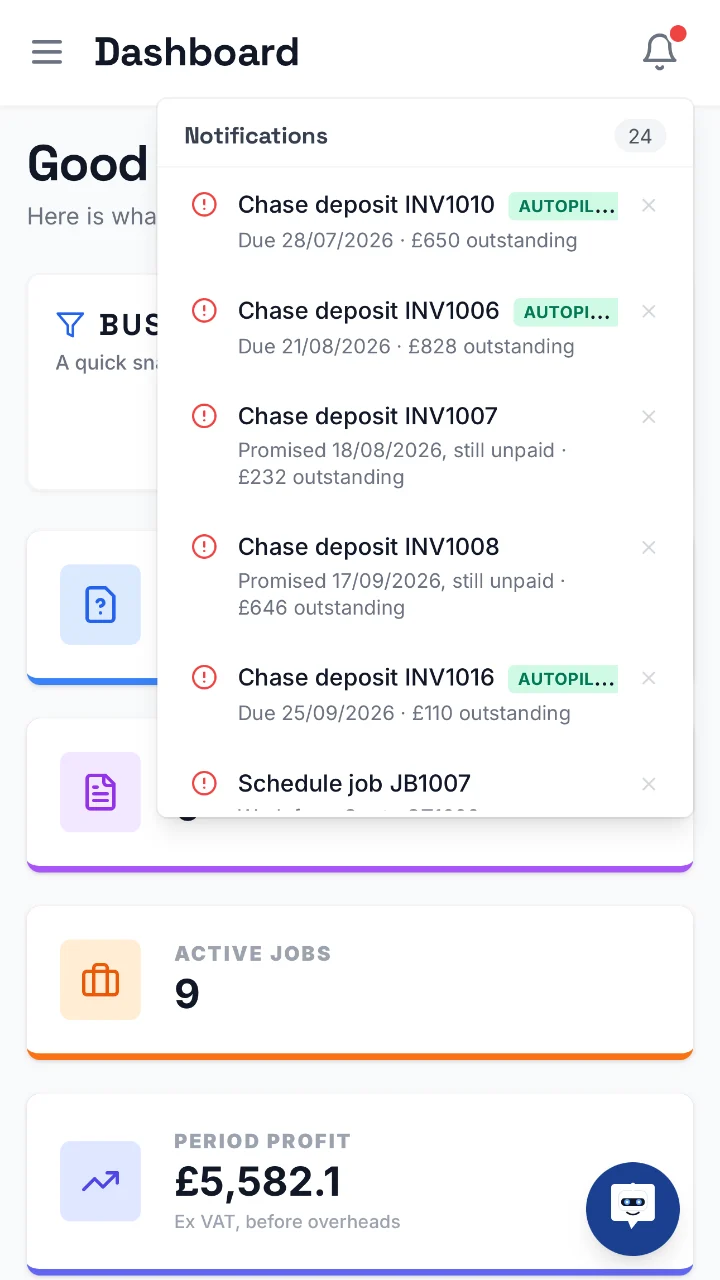
Chase deposit INV1006
Autopilot is handling this one
£828outstanding
Promise to pay missed
INV1007 · promised 18/08/2026
£232outstanding
Your crew sees the job. Never your prices.
Invite your team with their own logins. Technicians get a simple My Day view — their visits, job sheets, photos and notes, with no financial data on their screen at all. Office staff run the diary, quotes and invoicing while billing and settings stay yours.
- Technician role: assigned jobs only — customer, address, work details, photos
- No prices, invoices or business figures ever reach a technician's device
- Technicians add photos and notes and mark visits complete from site
- Office role: full app on your business data, except billing and settings
- Invite by email, revoke anytime — 3 logins on Pro, 10 on Pro+
You see
Kitchen rewire · J-322
Your technician sees
Kitchen rewire · J-322
Mrs Patel · 07700 900456
14 Mill Lane, KT12 4RR
Today, 8:00am
Photos · Notes · Mark complete
Never lose a lead again
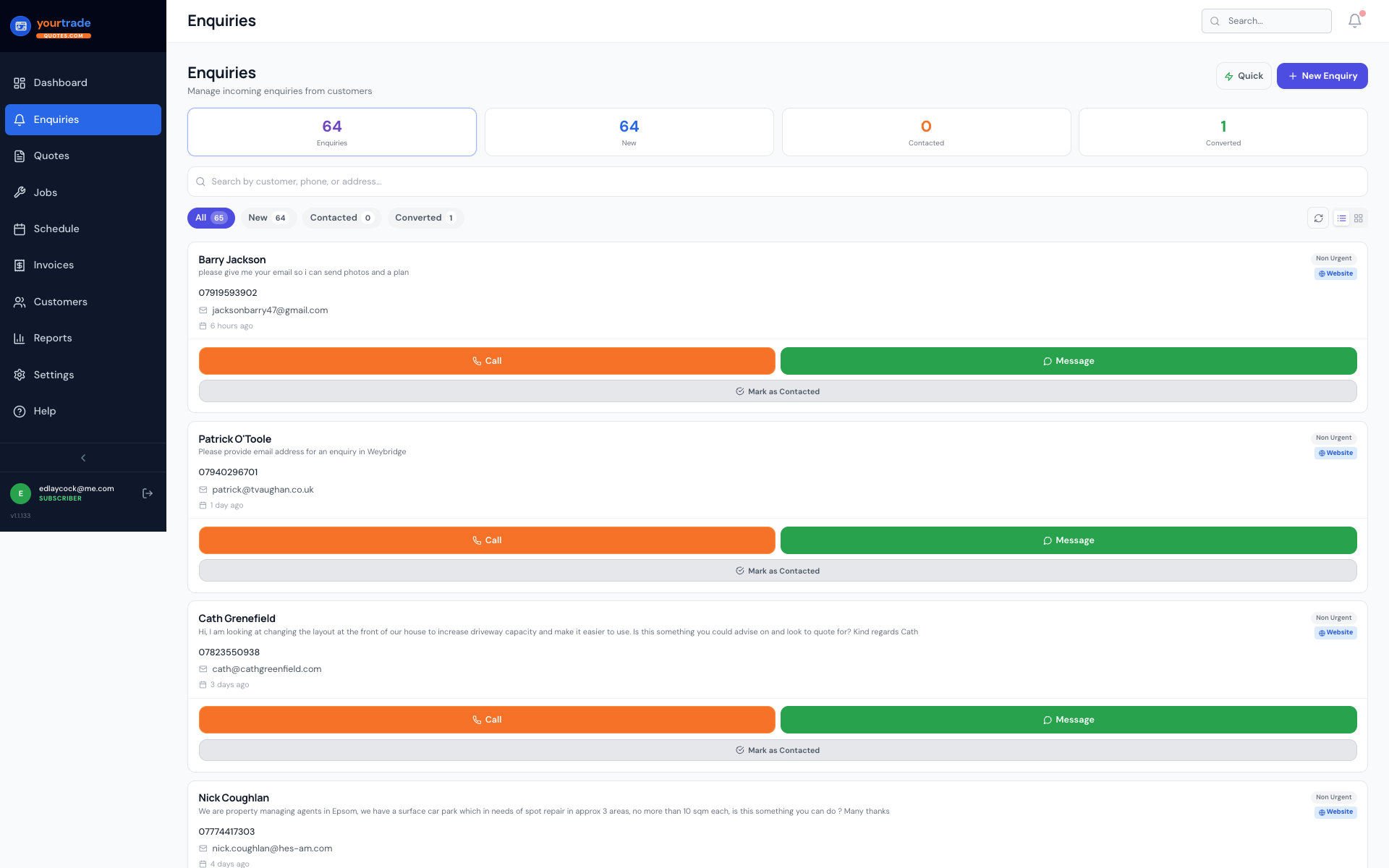
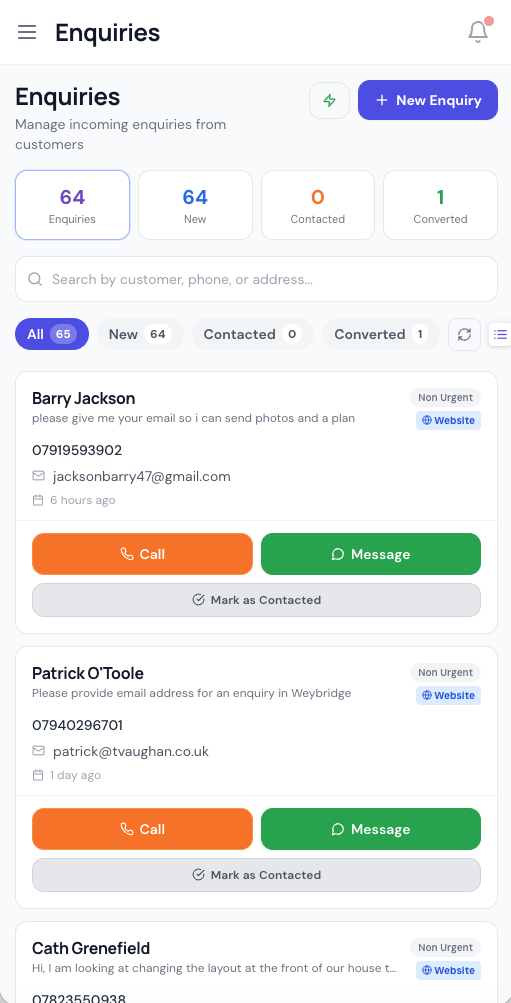
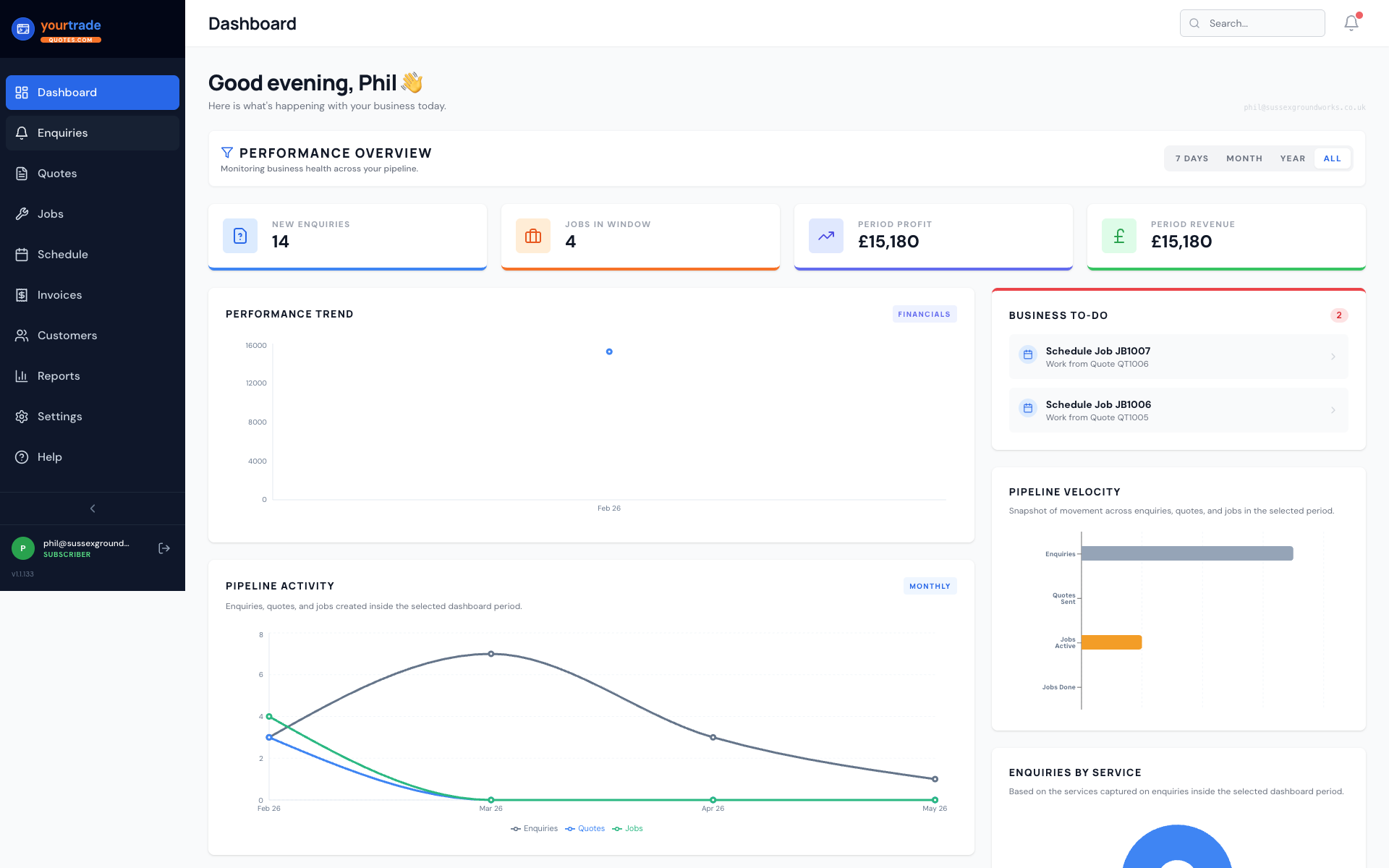
Every enquiry — from your website, WhatsApp, or entered manually — lands in one live pipeline. Real-time alerts, urgency tags, and one-click conversion to customer profiles.
- Instant WhatsApp message + browser alert the moment a lead arrives
- Website form submissions land instantly in your dashboard
- Urgency badges (emergency, this week, flexible)
- Convert enquiry to customer in one click — no re-typing
- Source tracking (website, phone, Instagram, Google etc)
New Enquiry Received
Michael Morriss · Just now
YourTradeQuotes
📋 New enquiry from Michael Morriss
Professional quotes in minutes
Build itemised quotes by hand, from a trade template, or describe the job in a sentence and let AI draft the lines. Preview as an A4 PDF, then email it or share the link by WhatsApp.
- AI drafts the line items from a typed description, and never invents a price
- Materials, labour, VAT, discount, and deposit auto-calculated
- Quote templates by trade for common job types
- Preview as branded A4 PDF before sending
- Public quote link customers can view on any device
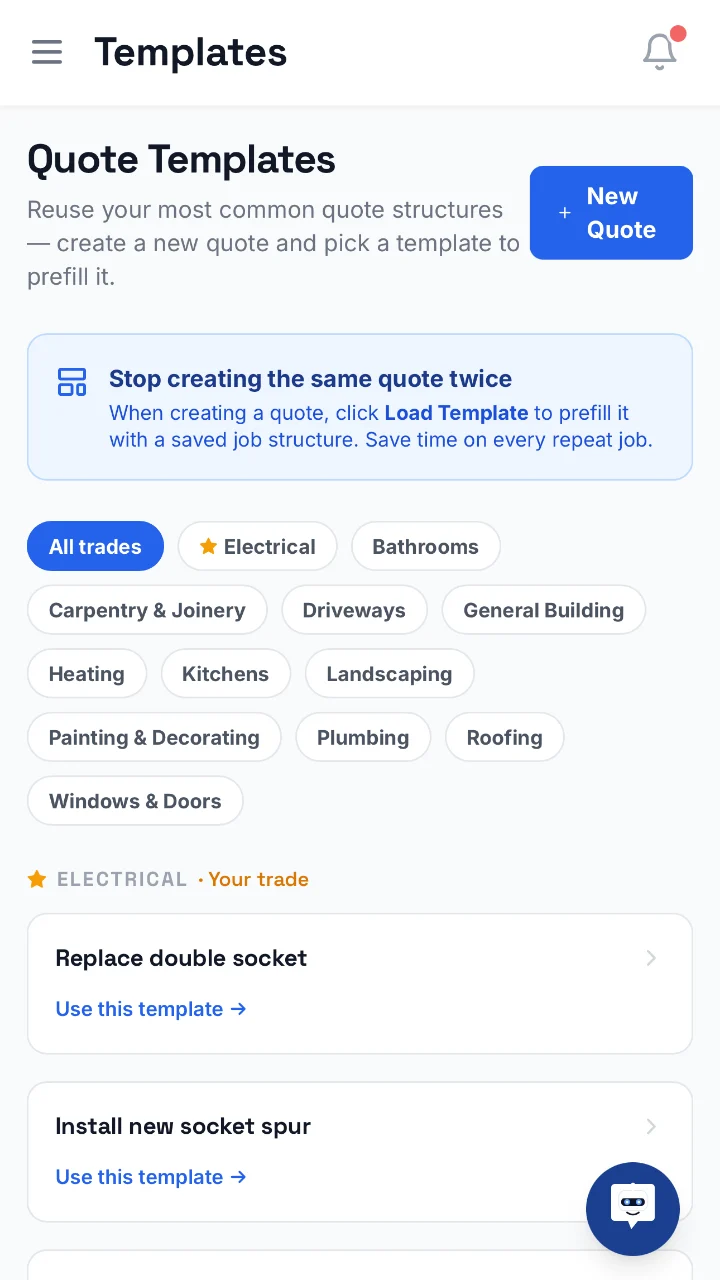
Replace double socket
Electrical · your trade first
1 tapto prefill
Templates by trade
Bathrooms to windows and doors
12trades
Full job visibility from first visit to sign-off
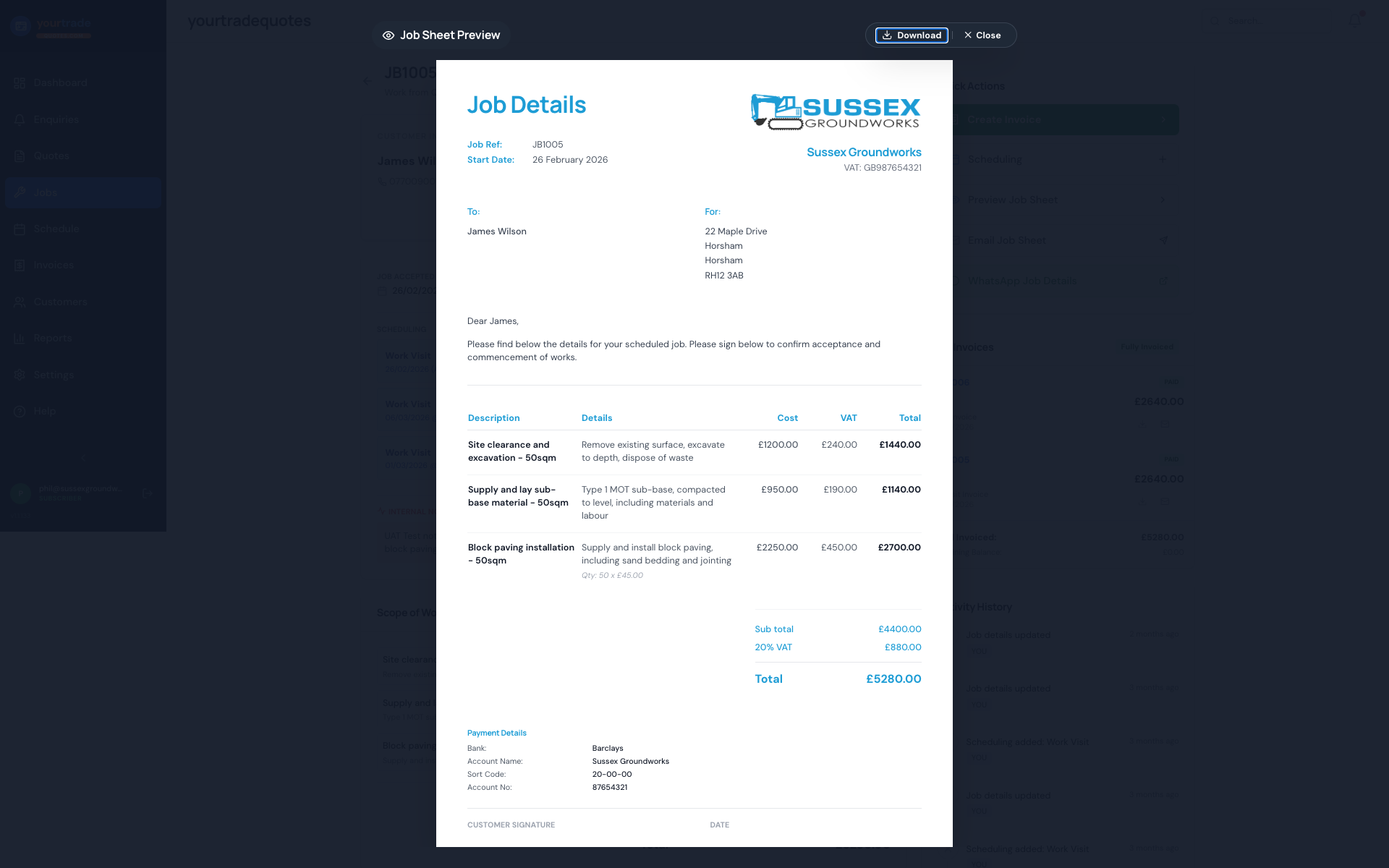
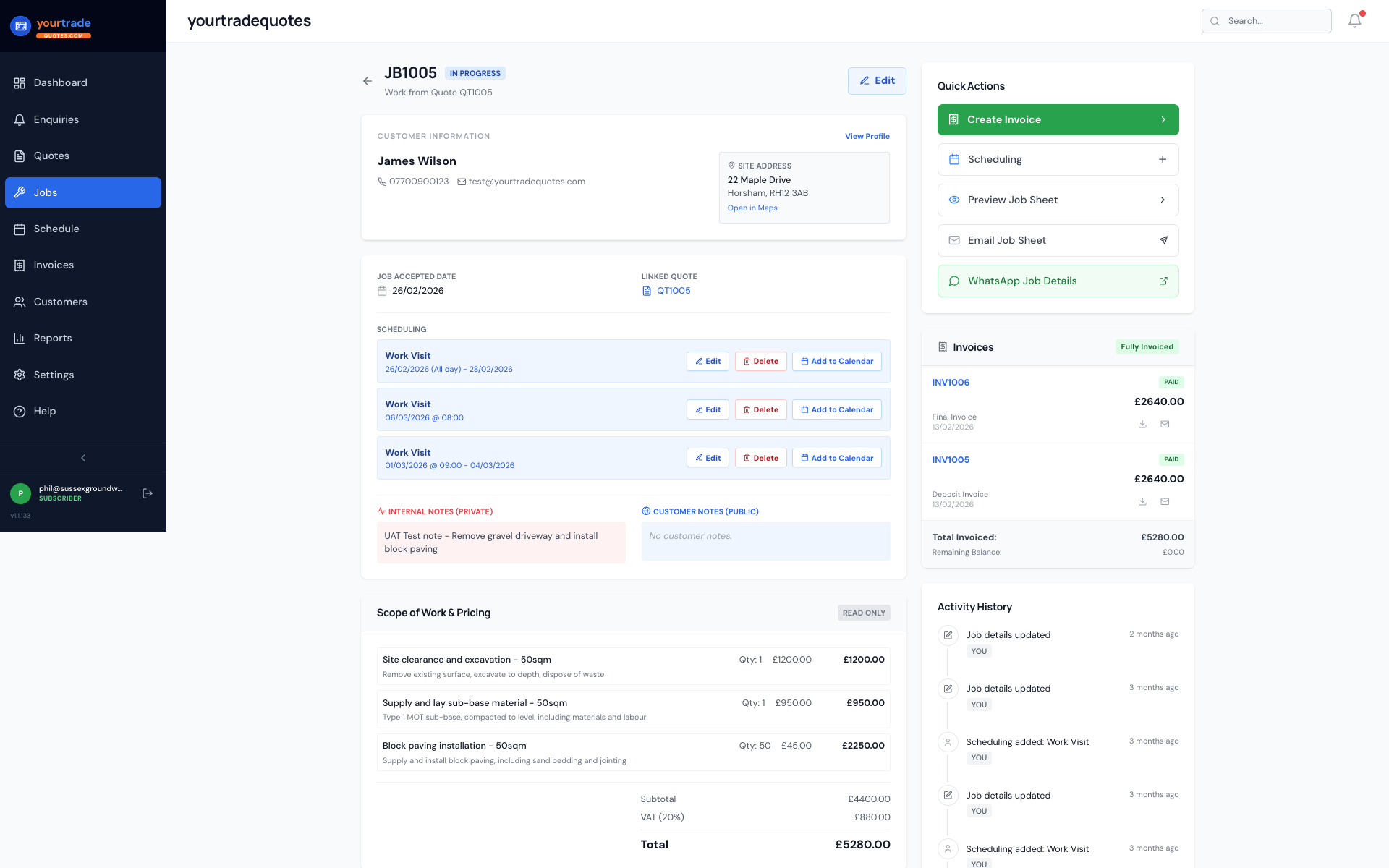
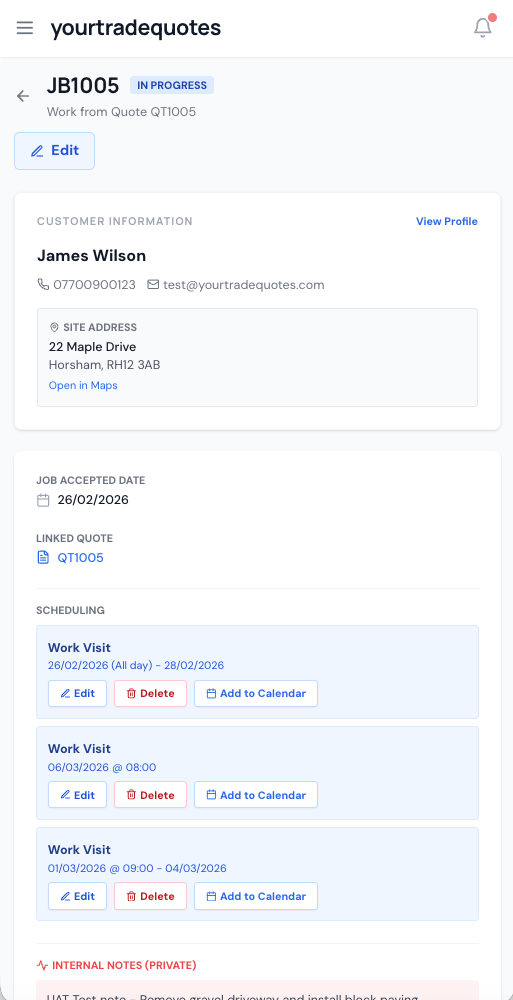
Jobs flow directly from accepted quotes. Track status, upload photos, record notes, and capture the customer signature on completion — all from your phone.
- Jobs created automatically from accepted quotes
- Before and after photo upload from the field
- Attach plans, drawings and purchase orders (up to 15MB each)
- Internal and customer-facing notes kept separate
- Customer completion signature captured on site
- Job sheet PDF downloaded or emailed
See your whole week at a glance
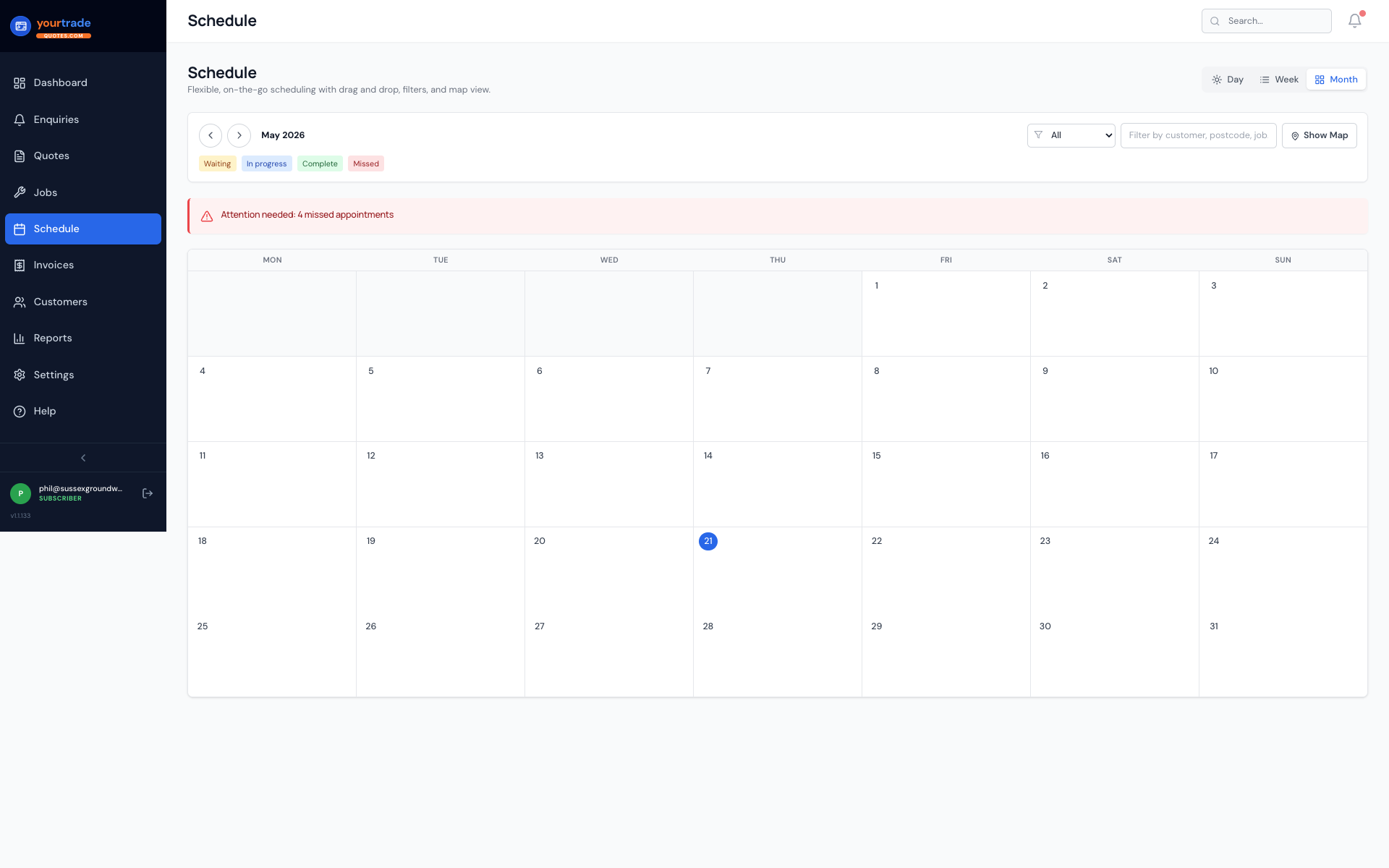
Day, week, and month calendar views. Drag and drop to reschedule. Colour-coded job status. Map panel with directions links. Works on mobile in the field.
- Drag-and-drop rescheduling in seconds
- Colour-coded status across all calendar views
- Missed appointment highlighting
- Map panel with directions for each job
- Filter by status, customer, or postcode
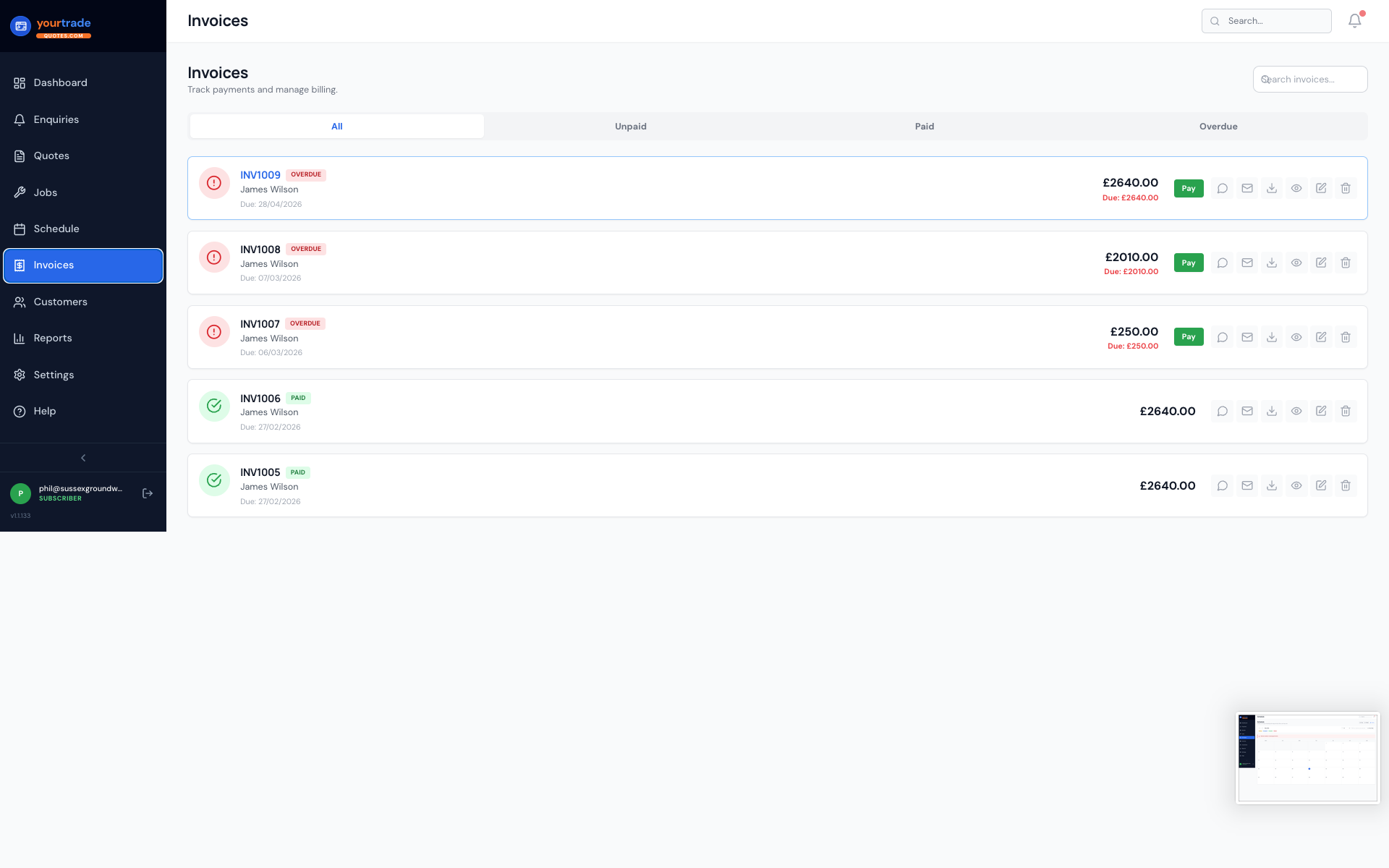
Invoice faster, get paid sooner
Create deposit and final invoices directly from jobs. Amounts, VAT, and balances calculated automatically. Record BACS, cash and card-terminal payments against each invoice. Online card payments into your own Stripe account are coming soon.
- Deposit and final invoice creation from job items
- Online card payments into your own Stripe account (coming soon)
- CIS deductions for construction subcontractors — labour-only, at your rate
- VAT reverse charge supported per invoice or customer
- Payment recording for BACS, card, and cash
- Overdue invoices and unpaid deposits chased automatically
Servicing and maintenance that books itself
Mark a job as recurring and YourTradeQuotes creates each visit on the morning it falls due. Weekly cleans, quarterly services, annual safety checks: set the pattern once and stop keeping it in your head.
- Weekly, fortnightly, monthly, quarterly or annual patterns
- Each visit created automatically on the day it is due
- A year-ahead chart showing how many visits fall in each month and what they are worth
- Business holidays respected: a visit landing in one moves to the next working day
- Skip or bring forward a single visit without breaking the pattern
- Optional automatic invoice and customer reminder per visit
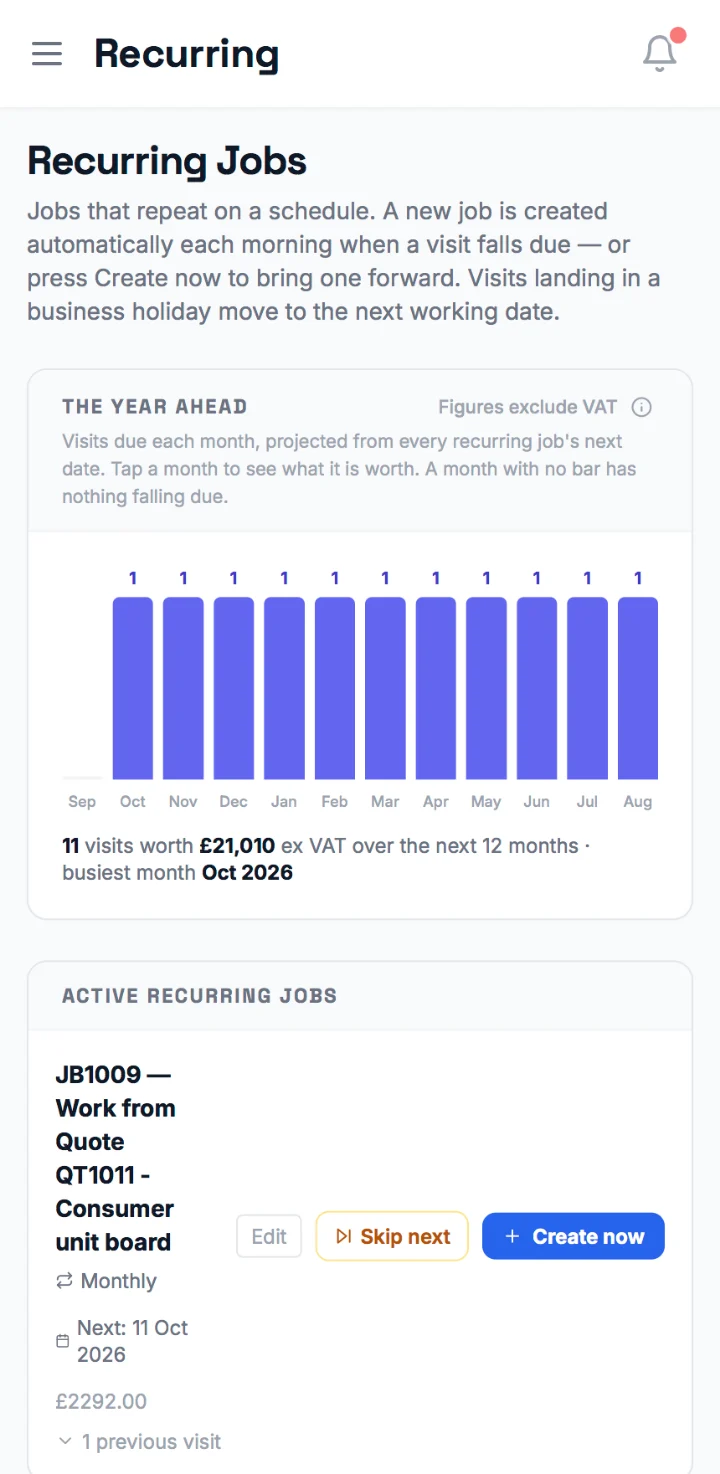
The year ahead
11 visits over the next 12 months
£21,010ex VAT
Next visit: 11 Oct 2026
Consumer unit board · monthly
Know exactly where your business stands
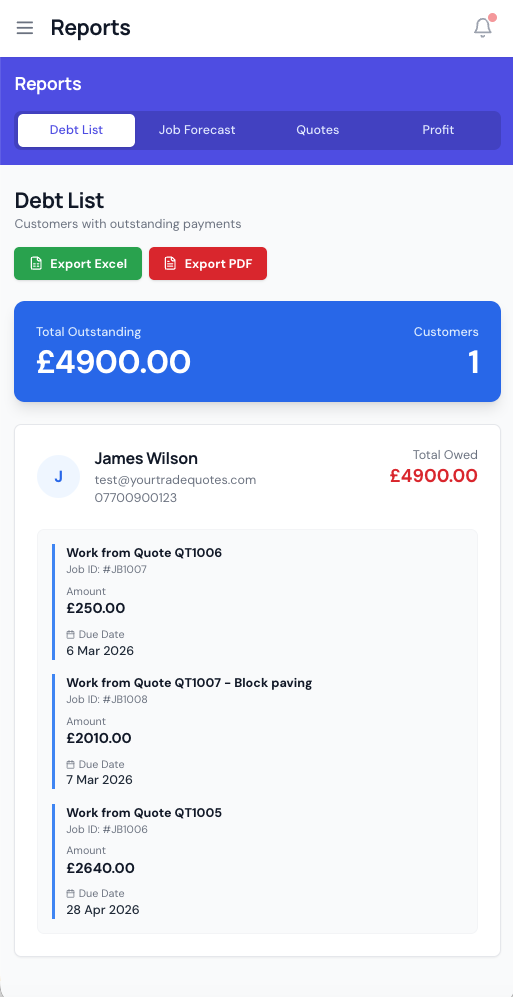
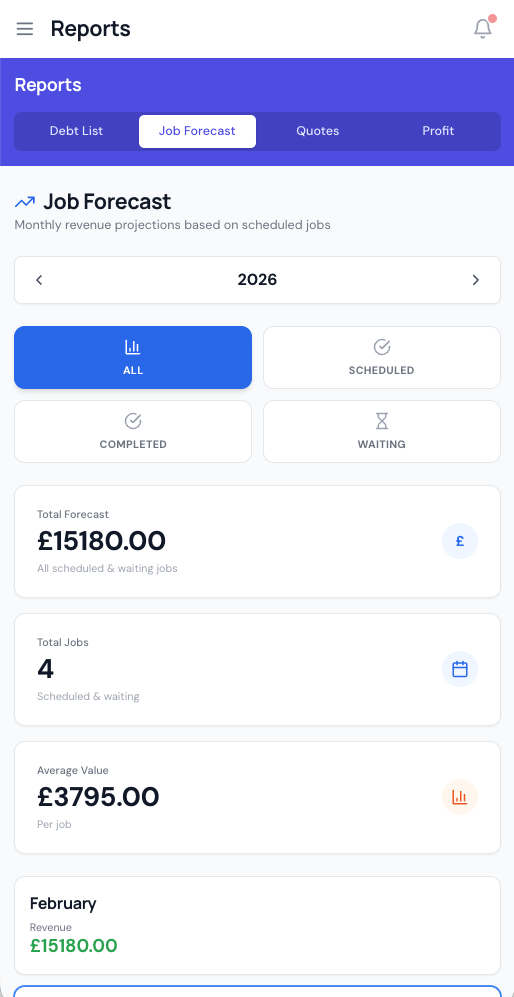
A cash-basis Profit & Loss that matches your bank rather than your paperwork, plus revenue trends, a job forecast and a debt list. It takes off your cost prices, card fees and overheads, so the profit figure is the real one.
- Profit & Loss on a cash basis: what you banked, what it cost, what you kept
- Profit and margin worked out on net (ex-VAT) revenue, because the VAT you collect is HMRC's and never yours
- Revenue and profit trend charts by month or year
- Every job you were paid on, ranked worst margin first
- Job forecast showing total revenue in the pipeline
- Debt list: every outstanding invoice grouped by customer
- Every figure explains what it includes: tap the ⓘ beside any total
- Export any report to CSV for your accountant
Ask where anything is
Chip sits on every page. Ask about your own quotes, jobs, invoices and customers, or how to do something, and it names the exact page or Settings tab. When something is not switched on yet, it tells you so.
- Answers questions about your own quotes, jobs, invoices and customers
- Tells you how to send a quote, add your terms or apply CIS, and where
- Explains what a figure in the app includes
- Says plainly when a feature is not live yet, rather than guessing
- On every plan: 25 questions a month on Starter, and on Pro it shares your AI allowance
Chip
How do I put my terms on quotes?
Set your default wording in Settings, Documents & Terms. You can change it on any quote in the quote form, and it prints on the PDF and the customer's quote page.
Can customers pay by card through the app?
Not yet, card payments are coming soon. For now, record card-terminal, cash or bank payments against the invoice.
Everything on your phone — no App Store needed
Add YourTradeQuotes to your iPhone or Android home screen. Full functionality in the field — quotes, jobs, photos, signatures, and invoices, all from your pocket.
- Works as a home screen app on iPhone and Android
- No App Store download required
- Quote, sign, photo, and invoice from the field
- Real-time sync across all devices
- Works on tablet and desktop too

Works with the Tools You Already Use
WordPress lead capture is live today. Card payments through Stripe and QuickBooks and Xero invoice sync are coming soon.
See It in Action
Set up takes under 10 minutes. Your first quote can go out today.
14-day free trial · No credit card