

Manage Your Business
From Your Pocket
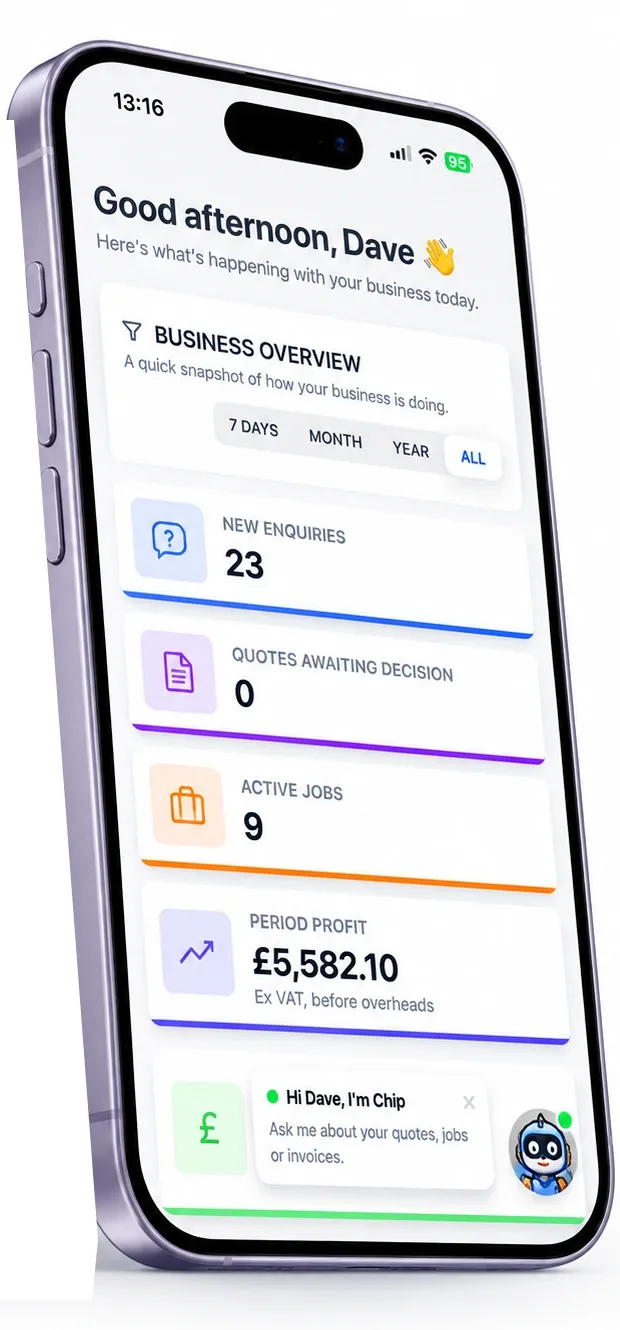
YourTradeQuotes runs as a full app on iPhone and Android — no App Store needed. Add to your home screen and get the full experience from the field.
Everything you need, right in your pocket
The full YourTradeQuotes platform — optimised for mobile, designed for the field.
Real-time notifications
Instant alerts for new enquiries, quote acceptances, and payment receipts — wherever you are.
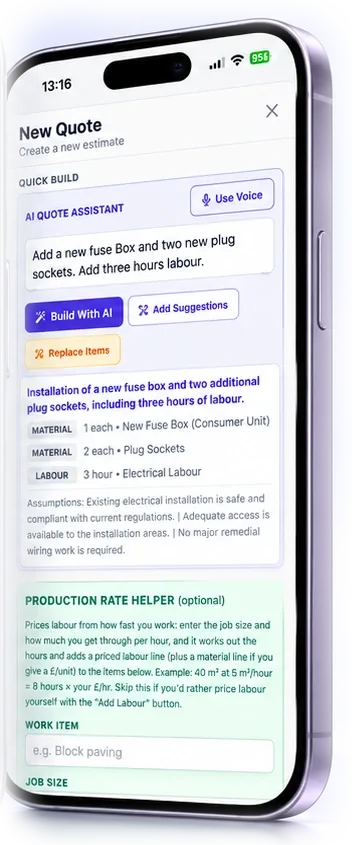
Build quotes from the field
Describe the job by voice or text; AI generates a full itemised quote in seconds. Send before you leave site.
Capture before & after photos
Photograph the job start and finish directly in the app. Evidence stored against the job automatically.
Digital signatures on site
Get the customer to sign on their phone or yours. Name, signature, and timestamp recorded instantly.
View and update your schedule
See today's jobs, drag to reschedule, and check directions — all from a single mobile calendar view.
Invoice from your phone
Create and send final invoices on completion, straight from the job. Card payments are coming soon.
Add to your home screen in 60 seconds
No App Store. No download. Works on iPhone and Android.
iPhone
Using Safari
- 1Open Safari on your iPhone
- 2Go to yourtradequotes.com
- 3Tap the Share icon at the bottom of the screen
- 4Scroll down and tap "Add to Home Screen"
- 5Tap Add in the top-right corner
Tip: Must use Safari — other iPhone browsers don't support Add to Home Screen.
Android
Using Chrome
- 1Open Chrome on your Android device
- 2Go to yourtradequotes.com
- 3Tap the ⋮ menu in the top-right corner
- 4Tap "Install App" or "Add to Home Screen"
- 5Tap Install to confirm
Tip: Some Android devices show "Add to Home Screen" instead of "Install App" — both work the same.
Designed for the field,
not just the office
Every screen, every button, every flow was built with a tradesperson on site in mind. Large tap targets, readable fonts in sunlight, and fast page loads on mobile data.
Works on any phone
iPhone or Android — any model from the last 5 years. No hardware requirements, no App Store.
Touch-optimised UI
Every button, form, and flow is designed for fat thumbs and bright sunlight. Built mobile-first.
Real-time cloud sync
Changes on your phone appear instantly in the office, and vice versa. Your whole team stays aligned.
Progressive Web App vs Traditional App
YourTradeQuotes is a PWA — meaning you get the best of both worlds without App Store hassle.
Bottom line: You get a home screen icon, full-screen experience, push notifications, and offline capability — without touching the App Store.
Try it free — add it to your
home screen today
Start your 14-day free trial. No App Store. No credit card. Add to home screen in 60 seconds.